Accounting
Record income and expenses and create cash-basis income reports from them - or hand the preparatory bookkeeping over to your tax advisor.
Ongoing recording
Income and expenses in one place
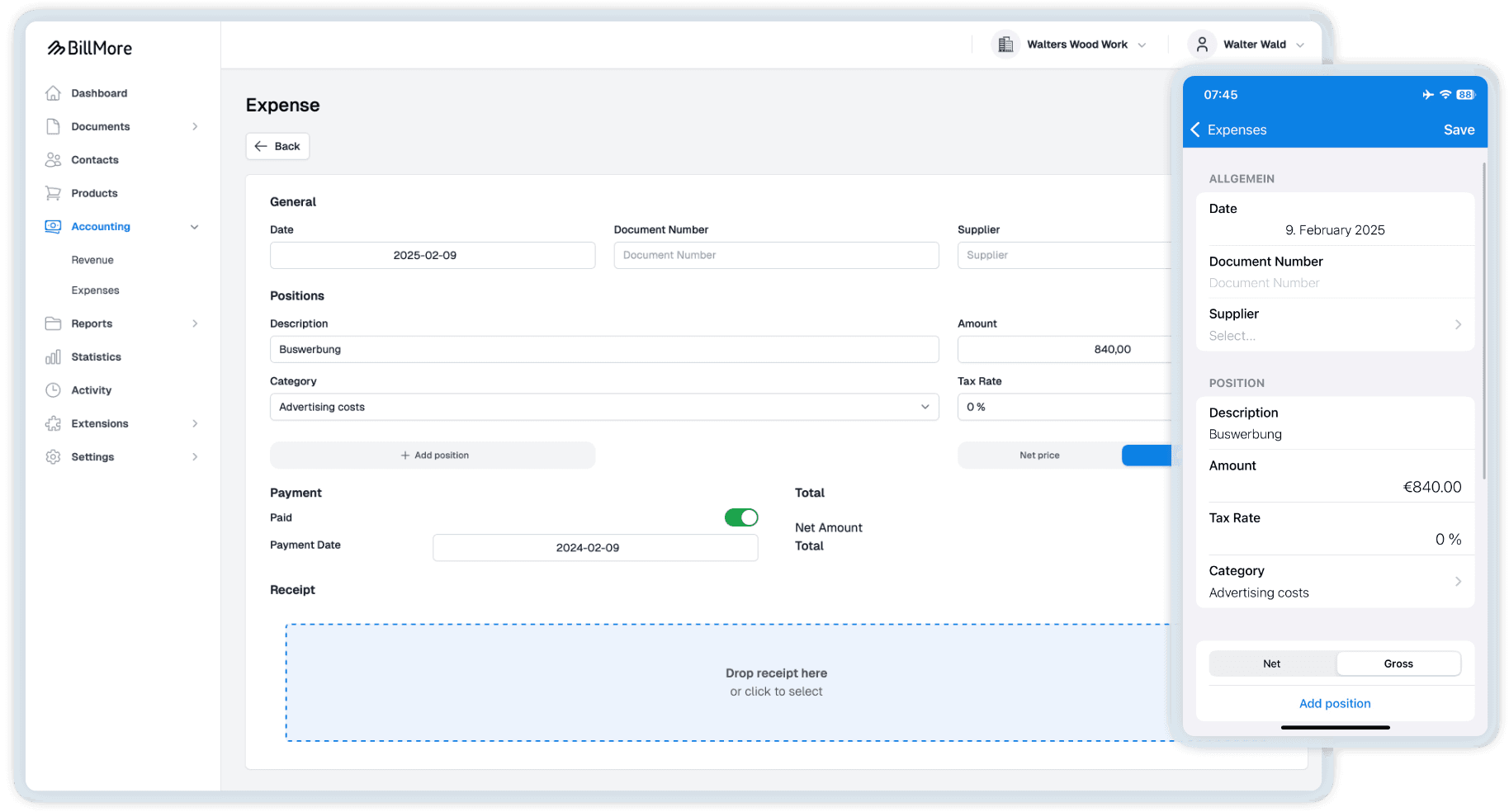
For many self-employed people and small businesses, BillMore provides all the tools needed for ongoing bookkeeping: record expenses with a receipt and enter income manually. Paid outgoing invoices are automatically included in the cash-basis income statement. If you are preparing annual accounts, you can use this feature to prepare receipts and bookings for your tax advisor.
Receipts and bookings
Record, book and hand it over
Capture and post receipts centrally. For freelancers and small businesses, the cash-basis income statement based on this covers all the necessary bookkeeping. For companies that prepare annual accounts, the preparatory bookkeeping is already done.
For expense receipts, BillMore can create a booking suggestion. More about AI receipt recognition.
Receipt capture
Scan and store receipts as PDF or XML. All expense receipts are digital and in one place. For less paper chaos.
Book income manually
Book income that does not arise from BillMore documents directly and manually in the accounting area.
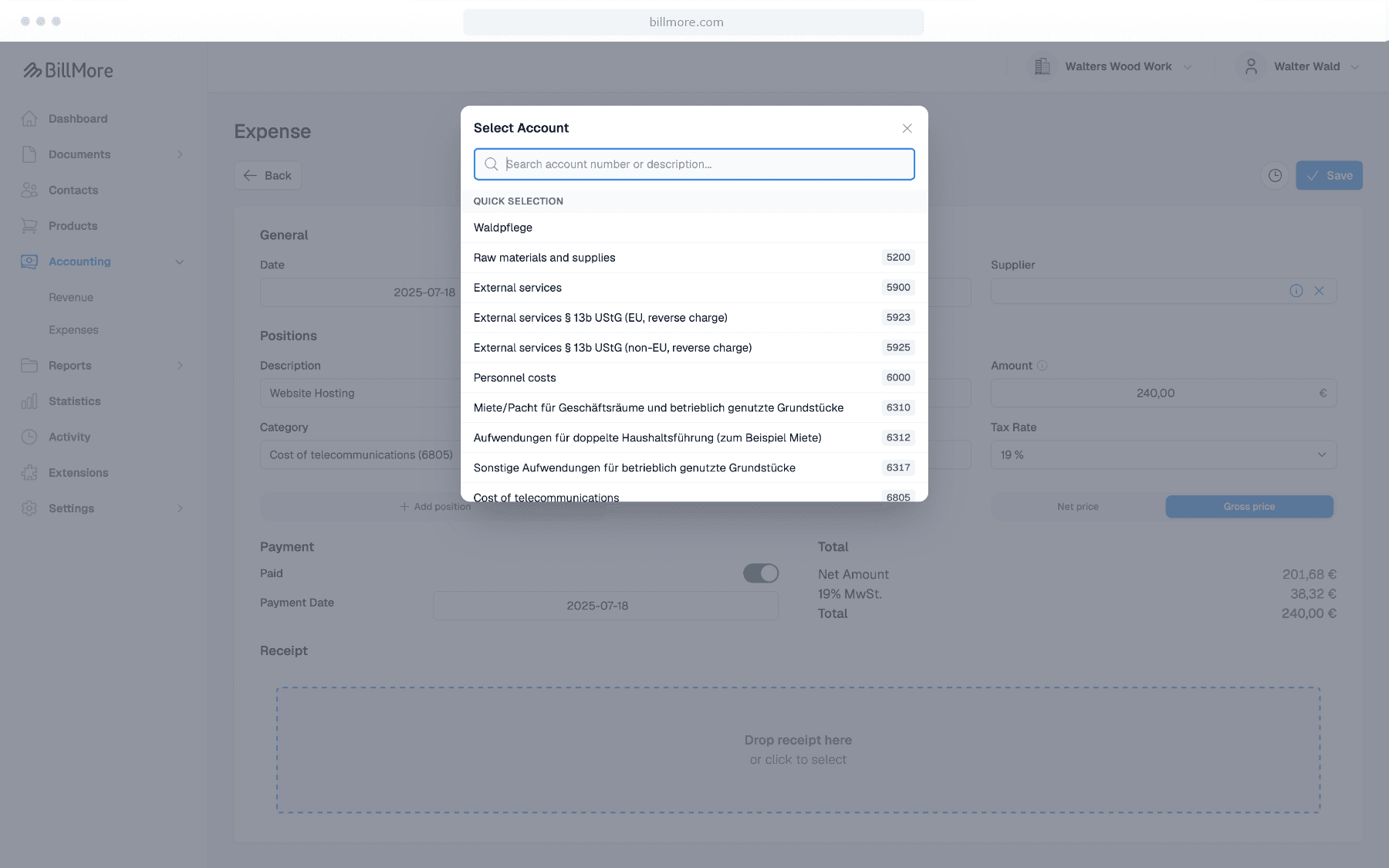
Manage booking accounts
Assign income and expenses to booking accounts. Use the search and favourites functions to speed up data entry.
Cash-basis income statement according to Form EÜR 2025
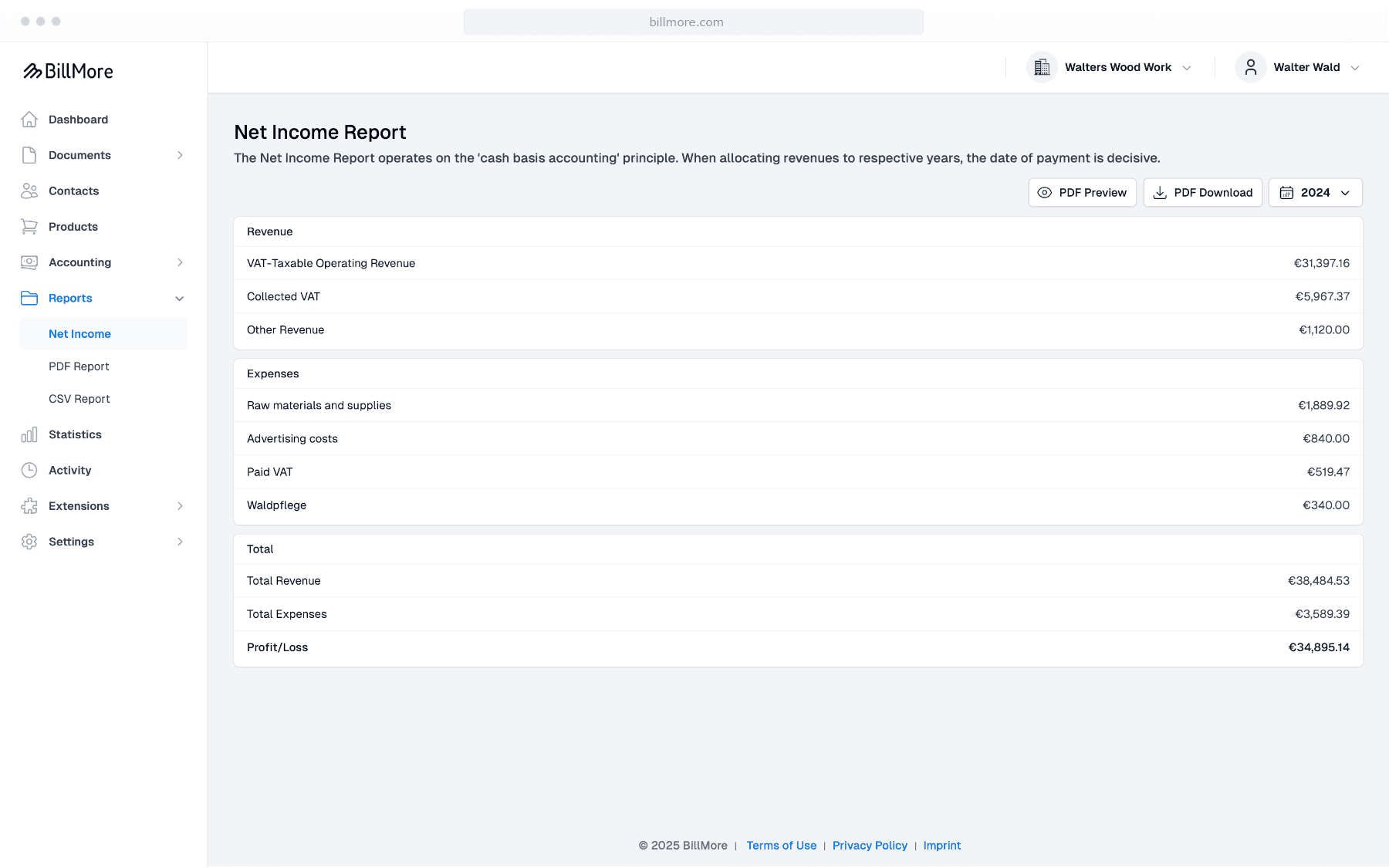
Cash-basis income statement
BillMore calculates income statements on a cash basis using the payment date from your paid bookings and invoices. This is ideal if you determine your profit via a cash-basis income statement and provides a transparent overview for working with your tax advisor.
Flexible periods
Year, quarter, month or a custom period. Always including a comparison with the previous period.
Drill-down to the booking
Each line can be expanded to see the underlying bookings and invoices.
PDF and Excel
Export the overview and the individual bookings as PDF or Excel.
Small traders & tax
Limits and special cases at a glance
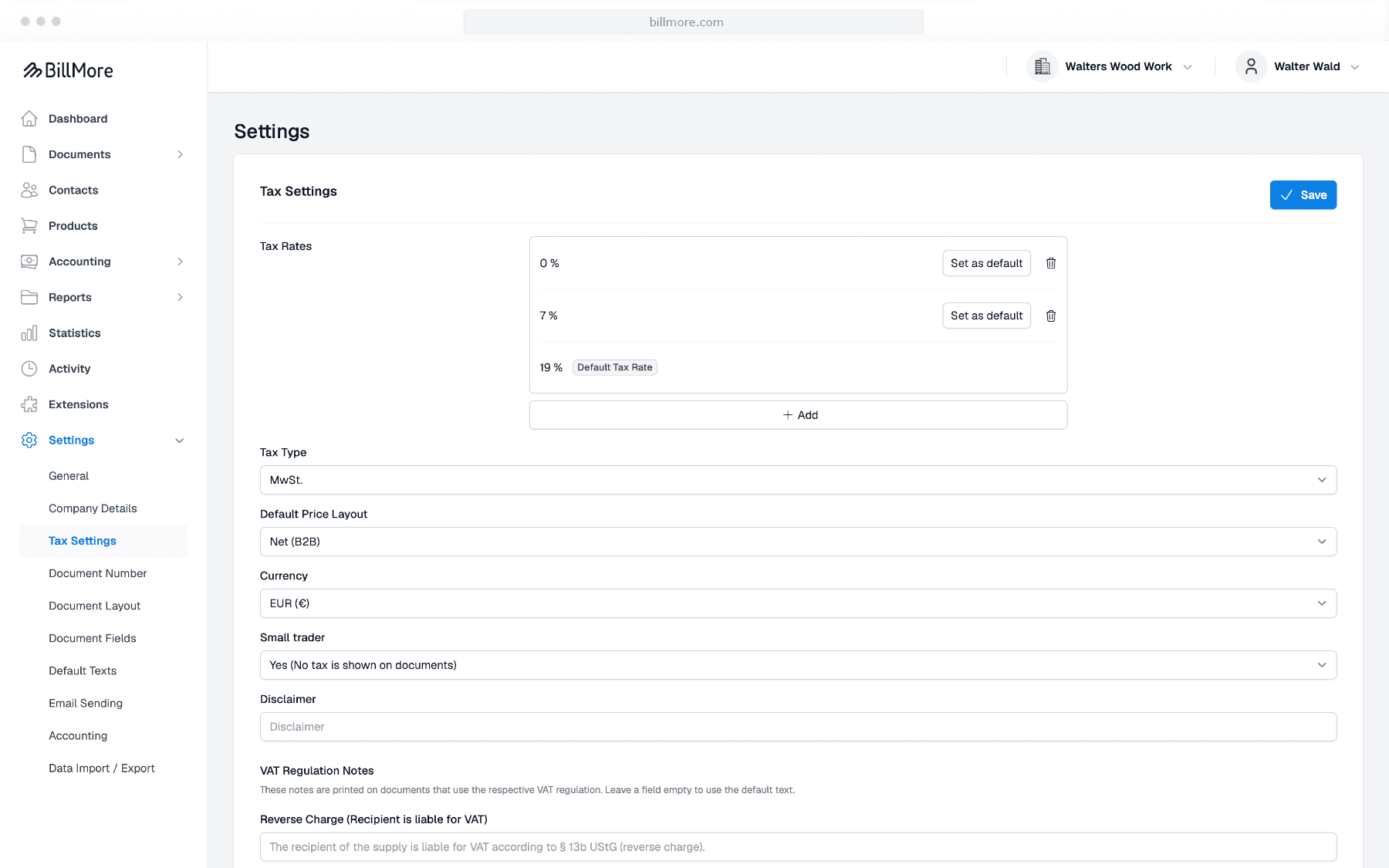
When the small trader scheme is active, BillMore sets the tax rate to 0% and alerts you via the dashboard when you approach or exceed the threshold. Matching accounts for EU and third-country services are available for reverse charge. Non-deductible portions, such as those for entertainment expenses, are displayed correctly.
Export and handover to your tax advisor
Reports, exports and DATEV
BillMore makes transferring data to your tax advisor as easy as possible. Export your accounting data directly via the DATEV integration or download all PDFs of a period as a ZIP file at once.
Export cash-basis income statements and reports
Create the cash-basis income statement and reports for year, quarter, month or a custom period.
ZIP export of all PDFs
Download all documents of a period at once as a ZIP package. Ideal for handing over to your tax advisor.
DATEV integration
Transfer incoming and outgoing invoices directly to DATEV Unternehmen online - structured and with all relevant booking data.
Individually customizable
Chart of accounts, booking accounts and number ranges
Set up the chart of accounts and document numbers once to enable fast data entry in day-to-day work and a complete handover to your tax advisor.
Choose chart of accounts
Set the German charts of accounts, SKR03 or SKR04.
Customize default accounts
Store the desired default account per booking type.
Favorites & quick select
Mark frequently used accounts for faster data entry.
Custom income and expense types
Create your own types and optionally assign an account for DATEV.
Custom number ranges
Configure prefixes (e.g. INV2025-) and starting counters for each document type. Professional from day one - and gapless for bookkeeping.
Get started with BillMore
30 days free trial
Create a free account and test BillMore with almost all of its features - completely risk-free.
Contact
If you have any questions about using our app or would like to send us suggestions for improvement, we are available to you at any time in the following ways.
By email
Do you have any questions about using the app? Our team will be happy to help you. We try to answer all inquiries within 2-3 working days.
On the phone
We are happy to help you by phone. Our team is available around the clock. If you have specific technical questions, please send us an email.